

A customer calls while you are on a job. You call back three hours later. They have already hired someone else.
That is not a marketing problem. It is a time problem, and it is the kind of problem CRM automation and AI are built to solve.
This guide is for owners of local service businesses who want more booked jobs from the leads they already get, without hiring another office person.
What Is CRM Automation, in Plain Terms?
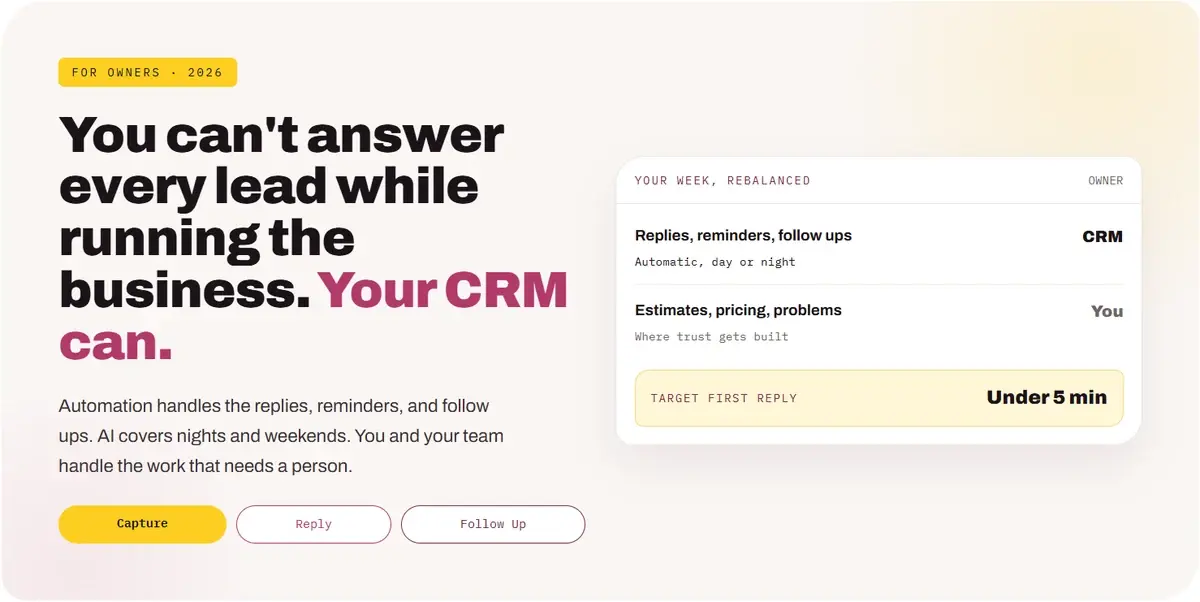
A CRM is the system that holds every lead, quote, and customer. Automation lets it do the routine work on its own: reply to new leads, book appointments, send reminders, and follow up. AI adds the ability to read messages, draft replies, and spot the leads most likely to buy.
Think of it as an office manager who never sleeps, never forgets a follow up, and never lets a lead sit in a voicemail box over the weekend.
It does not replace your team. It takes the repetitive tasks off their plate so they spend their time on the conversations that actually close work.
Why Should Business Owners Care Now?
AI went from rare to normal for small businesses in about two years, and customers now expect fast answers. The company that replies first usually gets the job.
Source: U.S. Chamber of Commerce, Empowering Small Business report, August 2025.
Speed is the other reason. A widely cited Harvard Business Review study found that companies contacting a lead within an hour were nearly seven times more likely to qualify it than companies that waited even one hour longer.
Most owners cannot personally answer every lead within an hour while running jobs, managing staff, and doing the books. A CRM with automation can.
Where Are You Losing Leads Today?
Most leads are not lost to price. They are lost in the gaps between the first inquiry and the signed job.
Each gap is small. Together they can quietly cost you a large share of the leads you already paid to get.
What Should You Automate First?
Automate the steps that happen the same way every time and cost you money when they are late: the first reply, booking, reminders, quote follow up, and review requests.
Start with the first two. If every lead is captured and answered in minutes, you have already fixed the biggest leak in most small businesses.
What Can AI Actually Do for Your Business?
AI is best at fast, routine communication: answering common questions, collecting details, drafting messages, and sorting leads. It should hand off to a person as soon as a conversation needs judgment.
Set clear rules for the handoff. Pricing, complaints, and anything unusual should go straight to a person, and the customer should know when they are talking to an assistant.
What Should Stay Human?
Keep the moments that build trust in human hands: estimates, pricing, advice, and anything that goes wrong.
Customers do not mind automation when it is fast and helpful. They mind it when they cannot reach a real person. Make sure they always can.
How Do You Know It Will Pay Off?
Look at the leads you already get. If faster replies and steady follow up turn even a few more of them into jobs each month, automation usually pays for itself.
Run the numbers with your own data. The point is not a perfect forecast. It is seeing how much revenue sits in leads you already have.
How Do You Choose the Right CRM?
Pick a CRM that captures leads from every source, texts and emails automatically, books appointments, and shows which marketing produced each sale. Fancy features matter less than whether your team will actually use it.
Before you buy, ask for a trial and run real leads through it for two weeks. If your team avoids it, it will not work no matter how many features it has.
How Do You Roll It Out Without Disrupting the Team?
Go in stages. Turn on one automation at a time, check it for a couple of weeks, then add the next.
Give one person ownership of the CRM. Someone needs to watch the messages, fix what breaks, and make sure the team logs what happens.
How Do You Keep It Safe and Compliant?
Get clear permission before texting, make opting out easy, limit who can see customer data, and review what AI sends.
Texting and privacy rules vary by location. Check with a qualified professional about the laws where you operate.
Which Numbers Should You Watch?
Watch reply time, booking rate, close rate, and jobs by source. If those improve, the system is working.
Compare a few months before and after. Owners usually notice the difference in their own schedule first: fewer callbacks to chase and fewer leads that slipped through.
Twenty questions before you automate
Answer yes or no. Every no is a place leads may be slipping away.
Lead capture
5 itemsSpeed
5 itemsFollow up
5 itemsSafety and results
5 itemsIf several answers are no, leads are waiting too long to hear from you. That's fixable.
Frequently Asked Questions From Business Owners
What is CRM automation for a small business?+
How can AI help a small business owner?+
What should I automate first?+
Will automation make my business feel impersonal?+
Do I need to hire someone to run a CRM?+
Is it legal to send automated texts to customers?+
Let the System Remember, So You Can Run the Business
You already pay to get leads. The cheapest growth most owners can find is answering those leads faster and following up longer.
Automate the timing. Keep the conversations human. Measure every step.
For a deeper look at specific pieces, see lead follow up for contractors, AI lead management, and our industry example for window treatment companies.
Yay Blitz helps local service businesses connect Graphic and Web Design, Paid Local Advertising, and AI Lead Management into one measurable system for getting and converting leads.
If leads wait hours for a reply or quotes go quiet, start with a Free Strategy Assessment. We will review your CRM, response times, and follow up, and show where jobs are slipping away.
 Funnel Strategy
 Graphic & Web Design
 Paid Local Ad
 Marketing Strategy