

Every guide in this series ends in the same place: track what happens after the lead. Which sources produce consultations. Which consultations close. Which products and projects bring the most revenue.
None of that is possible without a CRM that is set up and used consistently. Yet in many blinds and shutters businesses, lead information lives across inboxes, text threads, spreadsheets, and the consultant's memory.
If you cannot connect a lead to a sold job, you cannot know which marketing is working.
This guide explains how owners can set up practical CRM tracking: clear pipeline stages, reliable lead sources, specific outcomes, useful automation, and a simple dashboard that turns marketing into decisions.
Most Window Treatment Marketing Decisions Are Made Without Complete Data
Ask many blinds and shutters owners which marketing channel produced the most installed revenue last year and the answer is often a guess. Leads are counted. Clicks are counted. But the connection between where a homeowner came from and what they eventually bought is frequently missing.
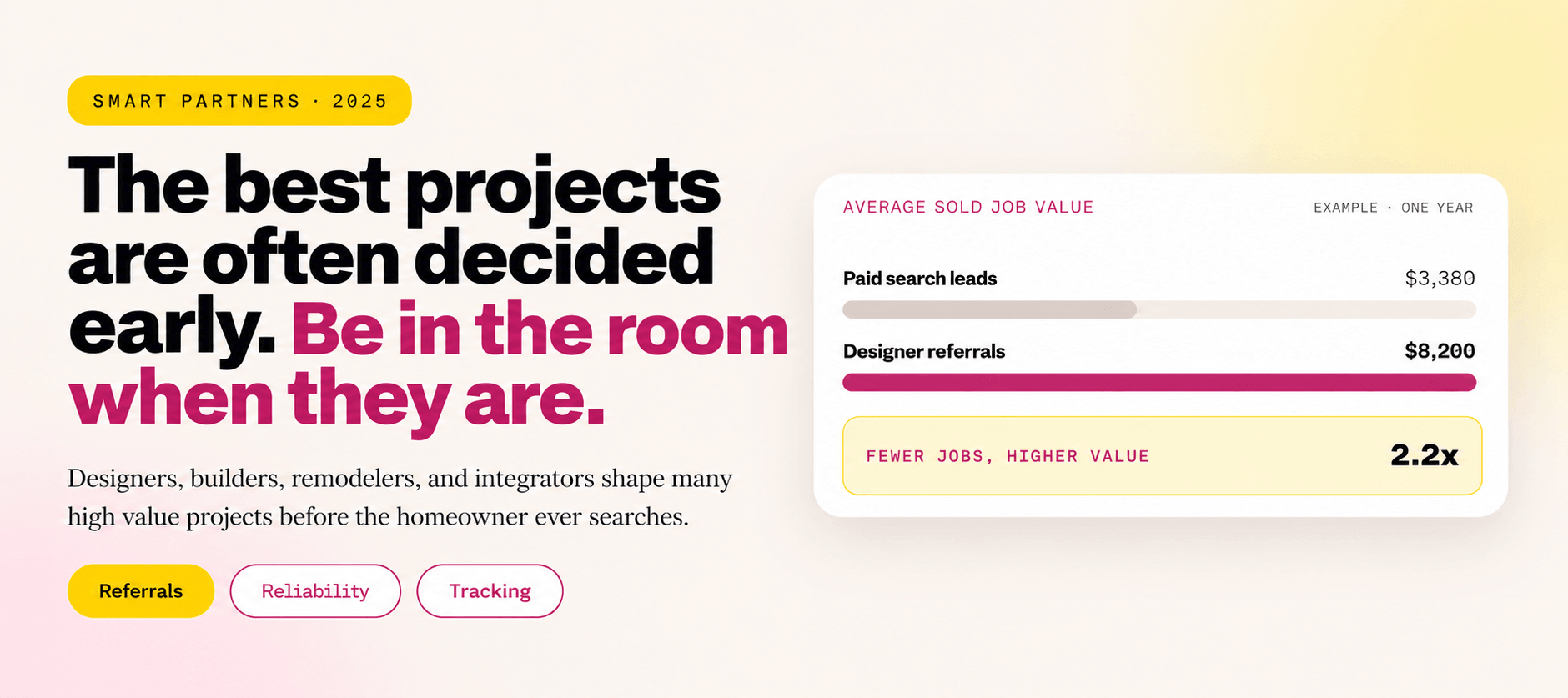
Without that connection, budget decisions rely on the wrong numbers. A campaign that produces many cheap form fills may look strong, even if few become consultations. A source that produces fewer leads but larger whole house projects may look weak.
A CRM is where marketing results stop being opinions and start being evidence.
This article sits under the broader Window Treatment Marketing strategy and brings together the tracking ideas from every other guide in this cluster.
What a CRM Should Actually Do for a Blinds and Shutters Business
A CRM does not need to be complicated. For most window treatment businesses it needs to do a few things reliably:
If the system cannot answer “which sources produced sold jobs last quarter,” it is not yet doing its most important job.
Define Clear Pipeline Stages
Every lead should sit in one clear stage at all times. Vague or overlapping stages make reporting meaningless.
Add supporting statuses for situations that do not fit the main path: delayed with a revisit date, lost with a reason, and not a fit for inquiries outside service area or product range.Window Treatment Quote Follow Up explains why delayed quotes need their own status.
Capture the Lead Source at the Moment of Entry
Lead source is the single most important field in the CRM, and the one most often left blank or recorded as “other.”
Where possible, capture source automatically: form fields that record campaign parameters, call tracking numbers by channel, and integrations with scheduling tools. When source has to be entered manually, make it a required field with a short, fixed list of options.
Connect Paid Campaigns to Booked Consultations
Ad platforms report clicks and form fills. They do not know which leads became consultations or sold jobs unless that information is sent back.
This lets campaigns optimize toward booked consultations rather than cheap form fills. Window Treatment PPC covers conversion setup and search term control in more depth.
Record What Was Sold, Not Only That It Sold
Knowing a job closed is useful. Knowing what closed is far more valuable.
These fields make it possible to see which sources produce motorized projects, which produce whole house shutter jobs, and which mostly produce small single room sales.
Make Lost Reasons Specific
“Lost” on its own teaches nothing. A short, fixed list of lost reasons turns losses into insight.
Review lost reasons monthly. A pattern of “no response” points to follow up gaps. A pattern of “price” may point to lead quality or consultation issues. A pattern of “outside service area” points to targeting. Location Based Marketing for Blinds and Shutters covers service area decisions.
Use Automation for Consistency, Not Just Speed
CRM automation is most valuable when it makes sure important steps never get skipped.
AI Lead Management for Contractors explains how automated response and routing can protect leads during busy periods. Always follow consent and messaging rules for texts and calls.
Track Partner and Referral Leads Properly
Referral leads are often recorded poorly because they arrive informally. A designer texts the owner. A past customer mentions a neighbor.
Record the specific partner or referring customer on every referral lead. Over time this shows which relationships produce the most valuable work and which need attention. Window Treatment Trade Partner Marketing covers how to build and protect those relationships.
Build a Simple Owner Dashboard
Owners do not need dozens of reports. A short monthly dashboard answers most important questions:
Review it monthly and compare against the same month last year. Window Treatment Seasonal Marketing explains why seasonal comparisons matter more than month to month changes.
Compare Sources on Revenue, Not Lead Count
The most common reporting mistake is ranking sources by lead volume. Sources should be compared on what they produce after the lead.
These figures are illustrative. Source A produced more than twice the leads. Source B produced more sold jobs and far more revenue. Ranked by lead count, the business would cut the wrong channel. Blinds Leads covers this problem in more depth.
Keep Data Clean Enough to Trust
A CRM is only as useful as the data in it. Small habits keep it reliable:
Imperfect data used consistently is far more valuable than perfect data nobody maintains.
Choose Tools That Fit the Business
The right CRM depends on team size, product mix, and existing tools. Some businesses use industry specific software. Others use a general CRM with custom stages. What matters most is that the system is simple enough for the team to use every day.
A simpler system used consistently usually beats a powerful one the team avoids.
What to Review First
Pull the last ninety days of leads from the CRM and ask:
Most owners find at least one large gap: missing sources, stale stages, or no link between leads and sold revenue. Fixing it usually changes marketing decisions within one or two months.
Twenty four questions for your lead data
Use this checklist against the last ninety days of leads in your CRM.
Capture and source
6 itemsPipeline
6 itemsOutcomes
6 itemsAutomation and reporting
6 itemsIf many of those answers are no, marketing decisions may be based on guesses. Clean tracking turns them into evidence.
Frequently Asked Questions From Blinds and Shutters Owners
What CRM is best for a window treatment business?+
What pipeline stages should a blinds and shutters CRM use?+
How do we track which marketing produces sold jobs?+
Why is lead count a poor way to compare marketing sources?+
What lost reasons should we track?+
Can CRM automation replace follow up by consultants?+
Good Tracking Makes Every Other Marketing Decision Better
A CRM is not a marketing channel. It is what makes every marketing channel measurable.
When every lead connects to a sold job, budget follows evidence instead of habit.
That means capturing every lead in one place, recording a specific source, moving leads through clear stages, recording what was sold and why deals were lost, automating the steps that should never be skipped, and reviewing a simple dashboard every month.
For owners, the payoff is clarity. You know which campaigns to grow, which to fix, and which to stop, based on installed jobs rather than clicks.
Yay Blitz helps blinds, shutters , and other local service businesses connect Paid Local Advertising, Local SEO vs Paid Ads, Graphic and Web Design , and AI Lead Management for Contractors into one measurable acquisition and conversion system.
If you cannot see which marketing produces installed jobs, start with a Free Strategy Assessment . We will review your CRM, tracking, and reporting, then show you what to fix first.
 Funnel Strategy
 Graphic & Web Design
 Paid Local Ad
 Marketing Strategy