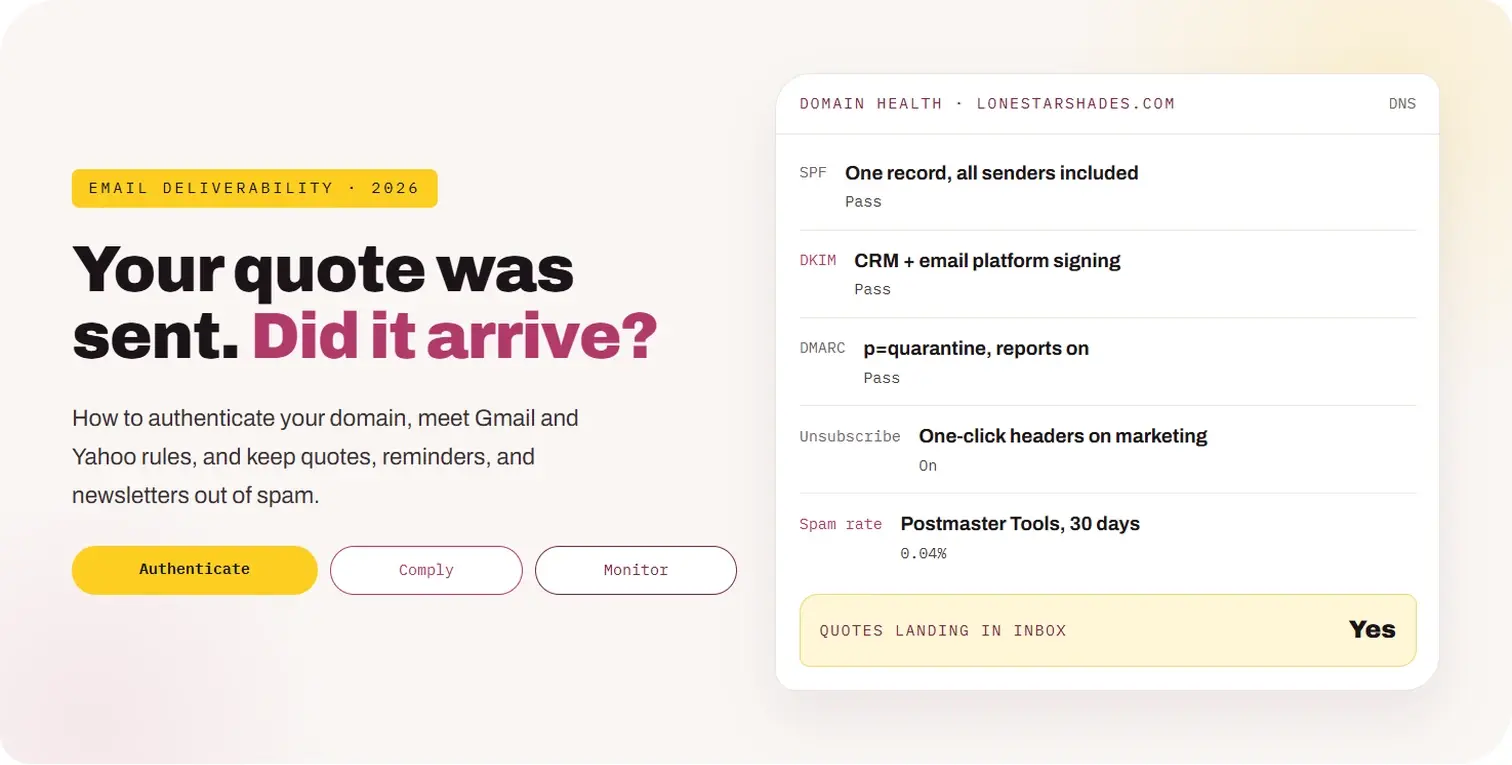
Email Deliverability for Window Treatment Companies: SPF, DKIM, DMARC, and the Gmail Rules That Decide Whether Follow-Up Reaches the Inbox

← BACK TO LOCAL BLOG
All topics CRM, AI & Automation
10 Min Read

Email Deliverability for Window Treatment Companies: SPF, DKIM, DMARC, and the Gmail Rules That Decide Whether Follow-Up Reaches the Inbox

Email Deliverability for Window Treatment Companies: SPF, DKIM, DMARC, and the Gmail Rules That Decide Whether Follow-Up Reaches the Inbox

A designer sends a $9,000 shutter quote. The homeowner never sees it, because it went to spam. They assume you were not interested and sign with the next dealer.

This happens more than most dealers realize, especially when quotes come from a CRM, reminders from a scheduling tool, and newsletters from a marketing platform, all claiming to be from the same domain without being set up to do so.

Key takeaways
• Every tool that sends email as your domain must be authorized in SPF and signing with DKIM, with a DMARC policy published. • Gmail treats senders of 5,000+ messages a day to personal Gmail accounts as bulk senders with stricter rules, including one-click unsubscribe and a spam rate below 0.3%. • Separate transactional email (quotes, confirmations) from marketing email, ideally on different subdomains. • Keep complaint rates low with consent, relevance, and easy unsubscribes; Google recommends staying well below 0.3%. • Monitor with Google Postmaster Tools and DMARC reports, and test quote emails monthly.

This guide explains authentication in plain terms, the Gmail and Yahoo sender rules, how to set up every tool that sends for you, how to protect quote emails, and how to monitor it all.

01

Why Does Deliverability Matter for Window Treatment Dealers?

Short answer

Because quotes, consultation confirmations, and follow-up all depend on email. If they land in spam, the customer never sees them, and you lose the job without knowing why.

→Quotes are emailed. The most important message in the sale is often a PDF attachment from a CRM.
→Many tools send as you. CRM, scheduling, review requests, invoices, newsletters, and designers’ inboxes.
→Mailbox providers got stricter. Gmail and Yahoo now require authentication, and Gmail rejects some non-compliant mail outright.
→Spam folders are silent. No bounce, no error. The customer just never replies.

Deliverability is the foundation under every email strategy in our window treatment email marketing guide and every follow-up sequence in our quote follow-up guide. If the foundation is cracked, nothing on top works.

02

What Are SPF, DKIM, and DMARC?

Short answer

Three DNS records that prove your email is really from you. SPF lists who may send, DKIM signs each message, and DMARC tells inboxes what to do when a message fails and sends you reports.

Record
SPF
What it does
Lists the servers and services allowed to send email for your domain
Plain-English analogy
A guest list at the door
Record
DKIM
What it does
Adds a cryptographic signature that proves the message was not altered
Plain-English analogy
A tamper-proof seal on the envelope
Record
DMARC
What it does
Checks that SPF or DKIM pass and match your From domain, sets a policy, and sends reports
Plain-English analogy
The rule for what security does with anyone not on the list
Example records (simplified)
SPF TXT @ v=spf1 include:_spf.google.com include:sendgrid.net ~all DKIM TXT s1._domainkey v=DKIM1; k=rsa; p=MIIBIjANBg... DMARC TXT _dmarc v=DMARC1; p=none; rua=mailto:dmarc@yourdomain.com

Your exact values come from each sending tool. The key detail is alignment: the domain in your From address must match the domain that passes SPF or DKIM. A tool that sends “from” your domain but signs with its own domain will fail DMARC alignment.

03

What Do the Gmail and Yahoo Sender Rules Require?

Short answer

All senders need authentication. Bulk senders, defined by Gmail as 5,000 or more messages a day to personal Gmail accounts, must also have DMARC, one-click unsubscribe on marketing email, and a spam complaint rate below 0.3%.

Requirement
SPF or DKIM
All senders
Required
Bulk senders (5,000+/day to Gmail)
Both SPF and DKIM
Requirement
DMARC
All senders
Recommended
Bulk senders (5,000+/day to Gmail)
Required, at least p=none, with alignment
Requirement
One-click unsubscribe
All senders
Recommended
Bulk senders (5,000+/day to Gmail)
Required on marketing email (RFC 8058)
Requirement
Spam complaint rate
All senders
Keep low
Bulk senders (5,000+/day to Gmail)
Below 0.3%, ideally under 0.1%
Requirement
Unsubscribe processing
All senders
Prompt
Bulk senders (5,000+/day to Gmail)
Within 2 days
Requirement
TLS and valid DNS
All senders
Required
Bulk senders (5,000+/day to Gmail)
Required

These requirements are summarized by Red Sift’s overview of Gmail enforcement, and Zenbee notes that since November 2025, Gmail permanently rejects non-compliant mail instead of temporarily deferring it. Yahoo and Microsoft enforce similar rules.

Most single-location dealers will not reach 5,000 messages a day. Meet the bulk sender rules anyway. They are the same practices that keep any sender out of spam, and a seasonal newsletter to a large list can cross the threshold in a single day.

04

How Do You Inventory Every Tool That Sends as You?

Short answer

List every system that sends email using your domain, then confirm each one is in SPF, signs with DKIM on your domain, and is covered by DMARC.

Tool
Google Workspace or Microsoft 365
Typical email
Designer and office email
Check
SPF include and DKIM enabled in admin
Tool
CRM
Typical email
Quotes, follow-up sequences
Check
Custom domain authentication set up in the CRM
Tool
Scheduling tool
Typical email
Confirmations and reminders
Check
Sends from your domain with DKIM, or from its own domain
Tool
Email marketing platform
Typical email
Newsletters and promotions
Check
Domain authentication and one-click unsubscribe
Tool
Review platform
Typical email
Review requests
Check
Domain authentication or its own sending domain
Tool
Invoicing or payments
Typical email
Invoices and receipts
Check
Sender domain settings
Tool
Website forms
Typical email
Form notifications
Check
Use an authenticated SMTP service, not the web server

SPF has a limit of 10 DNS lookups. Dealers who keep adding tools often exceed it without noticing, which causes SPF to fail for everything. If you are close to the limit, move some senders to subdomains or use a flattening service.

Client result
48booked jobs
For Arcadia Blinds, Dallas–Fort Worth

Quotes landing in spam?

Get a free review of your email setup and deliverability.

Book a free consultation →
05

How Should You Separate Transactional and Marketing Email?

Short answer

Send quotes, confirmations, and reminders from your main domain or a transactional subdomain, and send newsletters and promotions from a separate marketing subdomain.

Stream
Person-to-person
Examples
Designer replies, quote follow-up from a designer
Suggested sending domain
yourdomain.com (Workspace or 365)
Stream
Transactional
Examples
Quote PDFs from the CRM, booking confirmations, invoices
Suggested sending domain
notify.yourdomain.com or the main domain
Stream
Marketing
Examples
Newsletters, seasonal offers, reactivation
Suggested sending domain
mail.yourdomain.com

Separation protects your most important messages. If a promotion gets complaints, the reputation damage lands mainly on the marketing subdomain, not on the domain your designers use to send quotes.

Each subdomain needs its own SPF and DKIM through the tool that uses it. DMARC on the main domain covers subdomains unless you publish a separate policy.

06

How Do You Move DMARC From Monitoring to Enforcement?

Short answer

Start at p=none with reports, fix every legitimate sender that fails, then move to p=quarantine and eventually p=reject.

Week 0
p=none
Publish DMARC with a reporting address. Nothing is blocked; you just get reports.
Weeks 1–4
Read reports
Use a DMARC report tool to see every service sending as your domain and whether it passes.
Weeks 4–6
Fix senders
Authenticate legitimate tools. Remove anything you do not recognize.
Week 6+
p=quarantine
Failing mail goes to spam. Watch reports for surprises.
Later
p=reject
Failing mail is refused. Best protection against spoofing.

Enforcement also protects your customers. Without it, anyone can send email pretending to be your company, for example a fake invoice to a homeowner who just bought shutters. A p=reject policy makes that much harder.

07

How Do You Keep Complaint Rates Low?

Short answer

Email only people who expect it, make unsubscribing easy, keep messages relevant, and clean your list regularly.

✓Consent first. Add newsletter subscribers through a clear opt-in, not by importing every lead. See our SMS compliance guide for consent principles that apply to email too.
✓One-click unsubscribe. Use your platform’s List-Unsubscribe headers so Gmail can show its unsubscribe button.
✓Relevance. Segment by stage: new leads, quoted, past customers, trade partners.
✓Sensible frequency. Two to four marketing emails a month is plenty for most dealers.
✓List hygiene. Remove hard bounces immediately and suppress contacts who have not opened in a long time.
✓Recognizable sender. Use a consistent From name, such as “Jenna at Lone Star Shades.”

Spam complaints are the fastest way to damage your reputation. People click spam when they do not recognize the sender or cannot find the unsubscribe. Fix both and complaints usually drop.

08

How Do You Make Quote Emails Land in the Inbox?

Short answer

Send quotes from an authenticated domain, personalize them, keep attachments reasonable, and confirm receipt by text.

✓Send from a person. Quotes from “Jenna at Lone Star Shades” land and get opened more than quotes from “noreply.”
✓Authenticate the CRM. Most quote emails come from the CRM, so its domain authentication matters most.
✓Keep attachments light. Large PDFs and many images can trigger filters. Link to an online quote when possible.
✓Avoid spammy patterns. All-caps subjects, many exclamation marks, and only an image with no text.
✓Confirm by text. “Just sent your quote to sarah@… Let me know if it doesn’t arrive.”
✓Test monthly. Send a quote to Gmail, Outlook, and Yahoo test accounts and check the folder it lands in.

The text confirmation is the simplest safety net. Even if a quote lands in spam, the customer knows to look for it, and your quote follow-up sequence can continue.

09

How Do You Monitor Deliverability?

Short answer

Use Google Postmaster Tools for Gmail spam rate and reputation, a DMARC report tool for authentication, your email platform’s bounce and complaint data, and monthly seed tests.

Tool
Google Postmaster Tools
What it shows
Spam rate, domain reputation, authentication for mail to Gmail
Check
Weekly
Tool
DMARC reports
What it shows
Every source sending as your domain and pass or fail
Check
Weekly at first, then monthly
Tool
Email platform reports
What it shows
Bounces, complaints, unsubscribes by campaign
Check
After each send
Tool
Seed tests
What it shows
Inbox vs. spam placement at major providers
Check
Monthly and after any DNS change
Tool
Blocklist checks
What it shows
Whether your domain or sending IP is listed
Check
Monthly

Set an alert for complaint rate. If it rises toward 0.1%, pause marketing sends and review the list and content before it reaches the 0.3% limit.

10

What Are the Most Common Mistakes?

Short answer

Multiple SPF records, tools that were never authenticated, sending newsletters to every lead ever, missing unsubscribe headers, and website forms sending through the web server.

✕Two SPF records. A domain may have only one. Merge them into a single record.
✕SPF over 10 lookups. Too many includes and SPF fails for everyone.
✕Unauthenticated CRM. Quotes sent “from” your domain without DKIM alignment fail DMARC.
✕Importing all leads into the newsletter. Old, unconsented contacts drive complaints.
✕No one-click unsubscribe. Required for bulk marketing and expected by inboxes.
✕Website forms using PHP mail. Notifications vanish. Use an authenticated SMTP service.

Most of these take under an hour each to fix once found. The DMARC reports will show you which ones apply.

11

How Do You Roll It Out in 30 Days?

Short answer

Week 1 inventory and DNS check, week 2 authenticate every tool, week 3 separate streams and add unsubscribe, week 4 monitor and plan DMARC enforcement.

Week 1
Inventory
List every sending tool. Check existing SPF, DKIM, and DMARC with a free lookup tool. Publish DMARC at p=none if missing.
Week 2
Authenticate
Set up domain authentication in the CRM, scheduling, review, and marketing tools. Merge SPF into one record.
Week 3
Separate and comply
Move marketing to a subdomain. Turn on one-click unsubscribe. Clean the newsletter list.
Week 4
Monitor
Set up Postmaster Tools and a DMARC report tool. Run seed tests. Schedule the move to p=quarantine.

Once the foundation is solid, every email-based process, from newsletters to quote follow-up, performs better simply because more of it is seen.

An Email Deliverability Audit

Twenty questions about whether your email arrives

Answer yes or no. Every no is a place a quote or reminder may be landing in spam.

Authentication

5 items
Do you have exactly one SPF record?
Is SPF under 10 DNS lookups?
Does every sending tool sign with DKIM on your domain?
Is DMARC published with reports?
Does mail pass DMARC alignment?

Tools

5 items
Have you listed every tool that sends as your domain?
Is the CRM authenticated for quote emails?
Are scheduling and review tools authenticated?
Do website forms send through authenticated SMTP?
Is marketing on a separate subdomain?

Practices

5 items
Is newsletter consent collected separately?
Does marketing email have one-click unsubscribe?
Are unsubscribes processed within two days?
Are hard bounces removed automatically?
Do quotes come from a named person?

Monitoring

5 items
Are you set up in Google Postmaster Tools?
Do you review DMARC reports?
Is complaint rate well below 0.3%?
Do you run monthly seed tests?
Is there a plan to move DMARC to enforcement?

If several answers are no, some of your follow-up may never be seen. That's fixable.

FAQ

Frequently Asked Questions About Email Deliverability

What are SPF, DKIM, and DMARC?+
SPF lists which services may send email for your domain, DKIM adds a signature proving a message is authentic, and DMARC checks that they pass and align with your From domain, sets a policy for failures, and sends reports.
What are Gmail’s bulk sender requirements?+
Senders of 5,000 or more messages a day to personal Gmail accounts must use SPF, DKIM, and DMARC, offer one-click unsubscribe on marketing email, process unsubscribes within two days, and keep spam complaints below 0.3%.
Do these rules apply to a small blinds company?+
The bulk thresholds may not apply, but authentication is required for all senders, and following the bulk rules is the best way to stay out of spam.
Why are our quote emails going to spam?+
Common causes are a CRM that is not authenticated on your domain, failing DMARC alignment, large attachments, or a domain reputation hurt by marketing complaints.
Should marketing email use a separate domain?+
Using a separate subdomain for marketing helps protect the reputation of the domain your designers use for quotes and customer email.
How do we check our deliverability?+
Use Google Postmaster Tools, DMARC reports, your email platform’s bounce and complaint data, and monthly seed tests to major inboxes.

Make Sure Every Quote Is Seen.

The best follow-up sequence in the world fails if it lands in spam. Authenticate every sender, separate your streams, keep complaints low, and check monthly. It is a one-time setup with ongoing payoff.

Authenticate. Separate. Monitor.

For related guides, see email marketing, quote follow-up, and SMS compliance.

Yay Blitz helps window treatment companies connect Graphic and Web Design, Paid Local Advertising, and AI Lead Management into one measurable system for getting and converting leads.

If you are not sure your emails reach the inbox, start with a Free Strategy Assessment. We will check your domain setup and sending tools, and show what to fix.